
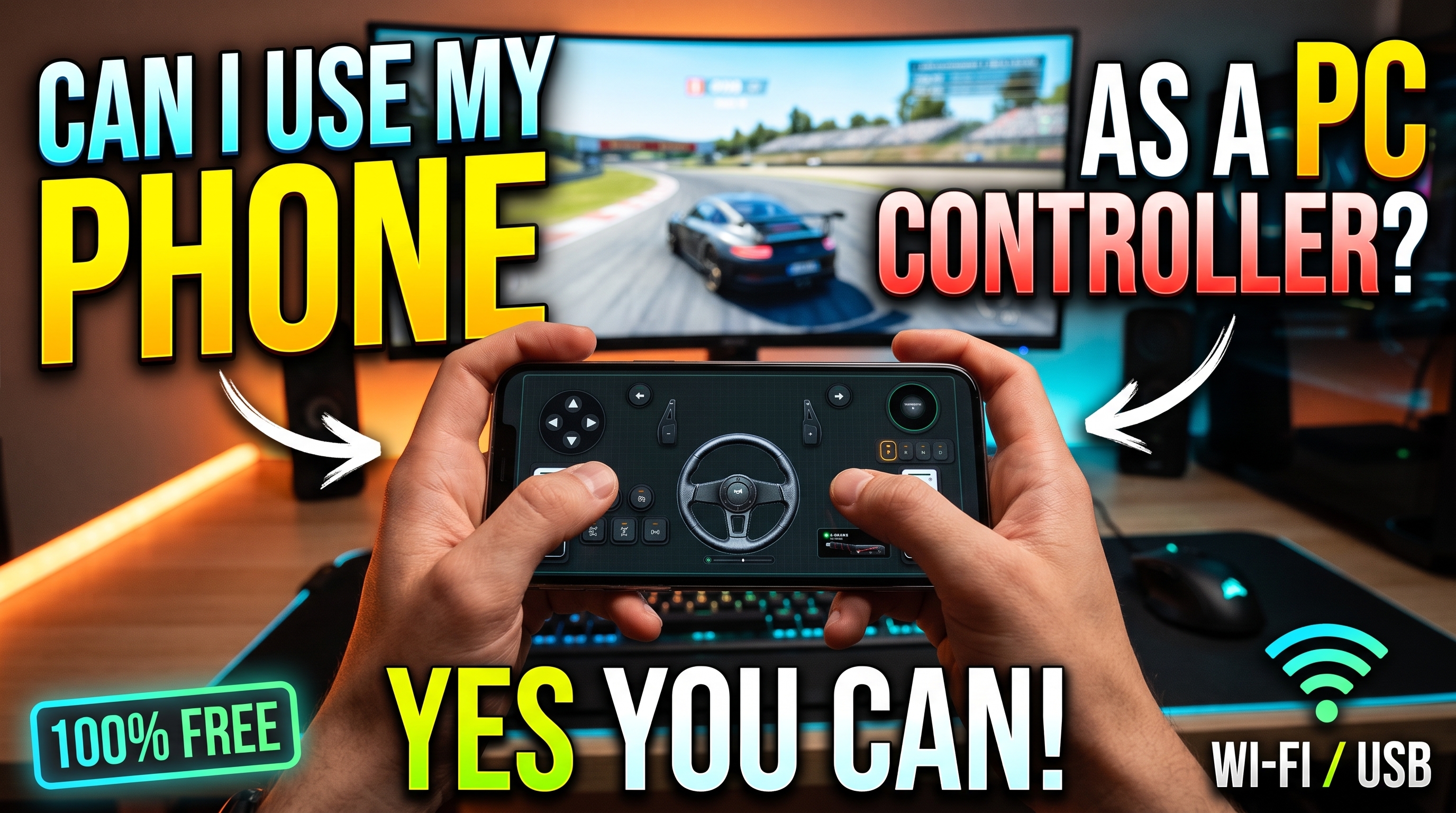



Using a smartphone as a high-precision PC game controller and a 900-degree virtual steering wheel is no longer a futuristic gimmick—it is a fully realized telemetry engineering feat. When gamers ask can i use my phone as a controller for pc, the technical reality is that modern mobile devices house industrial-grade 6-axis IMUs (Inertial Measurement Units) polling at 100Hz+, processing speeds that easily outclass older dedicated hardware. By running RojX, your iOS or Android smartphone bypasses standard input bottlenecks to emulate a native Microsoft Xbox 360 controller with sub-10ms response times.
#Establishing Sub-10ms Telemetry: 5GHz Wi-Fi vs. USB Tethering
To achieve competitive-grade steering fidelity, data packet transit time must remain tightly bound. Wi-Fi congestion on crowded 2.4GHz bands introduces jitter and packet loss, destroying the fluid micro-corrections required when counter-steering in high-speed rally stages or highway cruising.
To eliminate latency spikes, configure your connection using one of two primary transport layers:
- 5GHz Dedicated Local Wi-Fi: Ensure your host PC is connected via Ethernet to your router, and your mobile device is locked to the 5GHz Wi-Fi band (avoiding dynamic band-steering). This minimizes wireless hops, keeping UDP transmission latency between 3ms and 8ms.
- Direct USB Tethering: Enable USB tethering in your Android or iOS settings. This routes the UDP data stream over a physical copper connection, dropping packet jitter to absolute zero and providing a rock-solid data pipeline.
Once connected, the RojX Windows host receiver intercepts these packets and feeds them directly into the ViGEmBus virtual bus driver, translating raw accelerometer and gyroscope data into analog axis inputs recognized instantly by Windows 10 and 11.
⚠️ IMPORTANT: Windows Defender or third-party firewalls can occasionally block inbound UDP broadcast packets. Ensure you add an inbound rule allowing port communication for the RojX host application to prevent connection drops during gameplay.
#Calibrating 900-Degree Gyro Linearity for Precision Cornering
Default tilt controls on generic mobile apps suffer from hyper-sensitivity, making fine adjustments impossible. Achieving true sim-racing realism requires mapping your physical wrist rotation to a full 900-degree steering lock. This involves three critical calibration parameters inside the RojX mobile companion app:
- Zero-Deadzone Gyro Sensitivity: Filters out micro-jitters from your hands while maintaining instant directional engagement the moment you initiate a turn.
- Non-Linear Response Curves: Essential for high-speed stability. A non-linear curve (such as an exponent of 1.25 to 1.50) flattens the center of the axis response, giving you expansive physical hand movement for gentle highway lane changes, while retaining aggressive lock-to-lock capability at full wrist rotation.
- Auto-Centering Spring Physics: Simulates the self-aligning torque of a real rack-and-pinion steering system, snapping the virtual wheel back to zero when tilt input is neutralized.
#Gyro Steering Sensitivity & Curve Presets
| Driving Style | Steering Range | Sensitivity % | Non-Linearity | Center Spring Strength |
|---|---|---|---|---|
| Hardcore Sim (Assetto Corsa / iRacing) | 900° | 85% | 1.25 | Medium (60%) |
| Arcade / Street Racer (Forza Horizon) | 360° | 100% | 1.00 | Low (30%) |
| Truck Simulation (ETS2 / ATS) | 900° | 75% | 1.50 | High (80%) |
| Rally / Off-Road (Dirt Rally 2.0) | 540° | 110% | 1.35 | Dynamic (50%) |
For an in-depth walkthrough on tailoring these exact parameters for heavy transport simulators, consult our specialized Euro Truck Simulator 2 Setup Guide.
#Integrating Virtual Pedals, Touch Layouts, and AI Head Tracking
A true racing cockpit requires more than just a steering wheel. RojX solves this by overlaying fully customizable touch pedal zones directly onto your phone screen or secondary tablet display. You can map progressive throttles, dual-clutch bite points, and analog handbrakes alongside custom button templates.
Furthermore, for players looking to enhance situational awareness without investing in expensive hardware, RojX features built-in AI webcam head tracking integration. By utilizing your PC webcam to track facial orientation, the software translates your natural head movements into in-game look-around axes, perfectly syncing your peripheral vision with apex entries.
💡 PRO TIP: When setting up touch pedals on an OLED mobile screen, lower the display brightness to prevent thermal throttling during endurance races, ensuring your gyroscope polling rate remains locked at a consistent 100Hz.
#Troubleshooting Local Subnet and Gyro Drift Stumbling Blocks
Even with advanced setups, environmental factors can occasionally disrupt telemetry. Review these diagnostic solutions if you encounter configuration issues:
- Gyro Drift Accumulation: If your virtual wheel slowly drifts to one side while holding the phone completely level, place the device flat on a stable surface for three seconds and tap the 'Recalibrate IMU' button in the RojX quick-settings menu.
- Subnet Mismatch / Device Not Found: Ensure both your PC and mobile device reside on the exact same local subnet. Client isolation features on guest Wi-Fi networks will block UDP broadcast packets; always connect through your primary home LAN.
- Unresponsive Game Controls: Verify that ViGEmBus is correctly installed on your system. If a game fails to register inputs, open Windows Game Controllers (
joy.cpl) to confirm that the virtual Xbox 360 controller is actively receiving axis telemetry from your phone.
To explore alternative input profiles and multi-device setups, read our comprehensive guide on how to Turn Phone into PC Gamepad.
Turn your smartphone into a virtual 900° steering wheel right now
No expensive $300 wheel hardware required. Play Forza, Euro Truck Simulator 2, BeamNG, and Assetto Corsa with butter-smooth gyro steering and zero lag over Wi-Fi.
Point your iPhone or Android camera to install.