
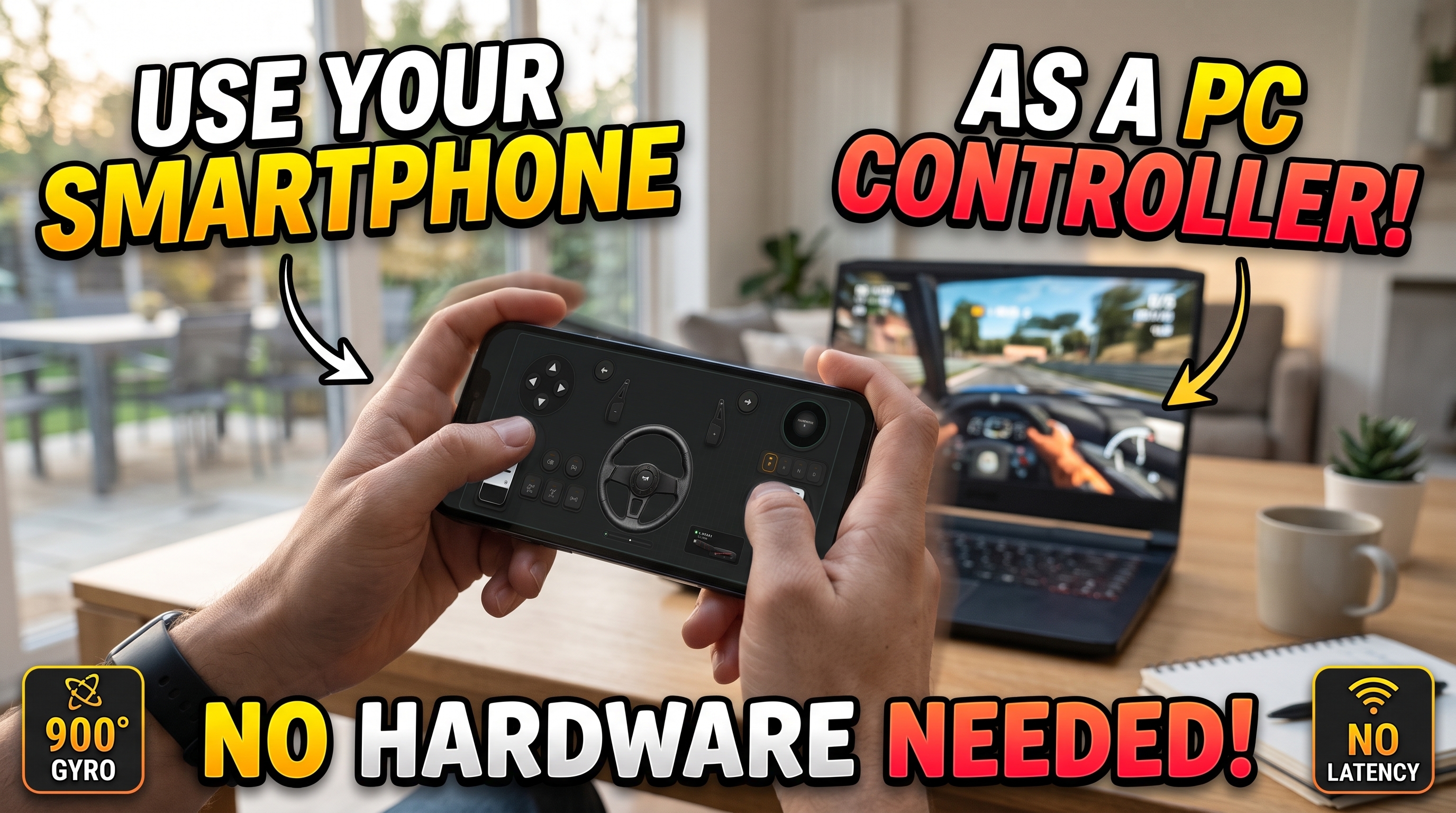



Maximizing input fidelity without investing hundreds of dollars in localized hardware requires a deep understanding of inertial measurement units (IMUs), network transport protocols, and virtual game controller drivers. When deployed correctly, your pocket-sized iOS or Android device possesses the exact sensor suite needed to operate as a high-precision controller for PC, matching the tactile immersion of dedicated peripheral setups.
Building a low-latency pipeline from a smartphone accelerometer and gyroscope directly into Windows 10 or Windows 11 demands precise engineering. Using the Download Free RojX Windows Host receiver alongside the mobile application unlocks a fully functional 900-degree virtual steering wheel and modular gamepad that communicates over high-speed UDP streams.
#Establishing Sub-10ms Telemetry: USB Tethering vs. 5GHz Wi-Fi
Packet delivery speed dictates your connection's success. Standard home routers congested with smart-home traffic will introduce jitter, which ruins steering linearity in fast-paced titles like BeamNG.drive Physics & Steering Guide.
When configuring your phone as a controller for PC, choose your transmission medium based on network architecture:
- Local 5GHz Wi-Fi: Operates over high-speed UDP packets. For optimal performance, assign a static IP to your host machine, isolate your 5GHz band from 2.4GHz IoT devices, and ensure your PC utilizes a wired Ethernet connection to the router.
- Direct USB Tethering: Bypasses wireless interference entirely. By enabling USB tethering in your Android or iOS settings, the RojX host receiver communicates over a direct socket, slashing latency to a blistering 3ms to 5ms.
⚠️ IMPORTANT: Windows Defender and third-party firewalls frequently block inbound UDP traffic on unassigned ports. Ensure you allow the RojX host application through your firewall, or explicitly open UDP port 27015 to prevent packet drop during high-speed telemetry polling.
#Calibrating 900-Degree Gyro Linearity for Precision Cornering
Raw gyroscope data is inherently noisy. A literal 1:1 mapping of a phone's tilt angle to a racing game's steering axis makes fine corrections nearly impossible at high speeds. To solve this, you must apply a non-linear response curve.
Inside the RojX mobile dashboard, set your steering range to 900 degrees. This distributes physical rotation across 2.5 full wheel turns, matching real-world GT3 steering geometry. Next, implement a deadzone of 2% to eliminate micro-jitters caused by hand tremors while cruising down straightaways.
Gyro Steering Sensitivity & Curve Presets
| Driving Style | Steering Range | Sensitivity % | Non-Linearity | Center Spring Strength |
|---|---|---|---|---|
| Arcade Street Racing | 360° | 120% | 0.85 (Aggressive) | 20% |
| Sim Racing (GT3 / Track) | 540° | 100% | 1.00 (Linear) | 40% |
| Heavy Commercial Simulation | 900° | 80% | 1.45 (Exp. Curve) | 70% |
| Rally & Off-Road | 720° | 110% | 1.15 (Balanced) | 50% |
Fine-tuning your curve ensures that the initial 15 degrees of phone rotation offer ultra-fine steering control for minor lane adjustments, while deeper tilts scale exponentially to grant full lock when navigating hairpin turns.
💡 PRO TIP: For titles like Euro Truck Simulator 2 Setup Guide, lean heavily into a non-linearity factor of 1.35 or higher. This creates a virtual steering 'dead band' around the center axis, preventing highway weaving while retaining full 900-degree sweep capability for tight delivery bay maneuvers.
#Emulating Native Xbox 360 Architecture via ViGEmBus
Game compatibility is the ultimate barrier for custom peripheral setups. Windows games rarely accept raw accelerometer data natively. RojX bridges this architectural gap by utilizing the ViGEmBus (Virtual Gamepad Emulation Bus) kernel-level driver.
When your phone transmits coordinate data over UDP or USB, the RojX Windows receiver intercepts the payload and injects it directly into the ViGEmBus driver stack. To the operating system and running games, your smartphone is recognized instantly as a native, hardware-authenticated Microsoft Xbox 360 controller.
This architecture guarantees flawless plug-and-play operation across thousands of Windows titles without requiring complex third-party mapping wrappers like X360CE. You simply open your game's controller settings menu, assign the steering axis to the Left Thumbstick X-axis, and bind your touch zones.
#Combining Gyro Steering, Touch Pedals, and AI Head Tracking
True simulation immersion requires more than just a steering axis. Modern racing simulators demand complete control over throttle input, braking curves, and situational awareness.
- Virtual Touch Pedals: Configure custom UI layouts on the lower half of your smartphone screen. Assign the left thumb area to a progressive brake pedal (mapped to Left Trigger) and the right thumb area to an analog accelerator (mapped to Right Trigger). Because the screen uses multi-touch capacitance, you can trail-brake and feather the throttle simultaneously.
- Multi-Template Switching: Switch effortlessly between racing templates and flight or truck layouts using the on-the-fly profile switcher inside the mobile app.
- AI Webcam Head Tracking: Elevate your setup beyond standard peripheral inputs by integrating AI Head Tracking Setup. By tracking your facial orientation via your PC webcam, RojX dynamically pans your in-game cockpit camera as you look toward apexes, giving you a competitive edge when apex-hunting in tight packs.
By uniting high-frequency IMU polling, low-latency UDP networking, and ViGEmBus kernel emulation, your mobile device evolves from a simple communication tool into an elite, precision-engineered controller for PC gaming.
Turn your smartphone into a virtual 900° steering wheel right now
No expensive $300 wheel hardware required. Play Forza, Euro Truck Simulator 2, BeamNG, and Assetto Corsa with butter-smooth gyro steering and zero lag over Wi-Fi.
Point your iPhone or Android camera to install.